Best Freelance Management Tools for Your Business Success
Managing your freelance business can feel like juggling a dozen balls at once. From tracking projects and invoices to managing clients and deadlines, it’s easy to get overwhelmed. That’s why having the right tools is a game-changer. The best freelance management tools help you stay organized, save time, and focus on what you do best - delivering great work.
In this post, I’ll walk you through some of the top software options designed specifically for freelancers. These tools cover everything from project management to invoicing and client communication. Whether you’re just starting out or looking to upgrade your current setup, you’ll find practical advice and recommendations here.
Why You Need Freelance Management Tools
Running a freelance business means wearing many hats. You’re not just the creative or technical expert; you’re also the marketer, accountant, and customer service rep. Without the right support, it’s easy to lose track of important details or miss deadlines.
Freelance management tools help you:
Stay organized: Keep all your projects, files, and client info in one place.
Save time: Automate repetitive tasks like invoicing and follow-ups.
Improve communication: Keep clients updated and manage expectations smoothly.
Track finances: Monitor income, expenses, and taxes without stress.
Boost professionalism: Present polished proposals, contracts, and invoices.
Using the right software means you can spend less time on admin and more time growing your business.
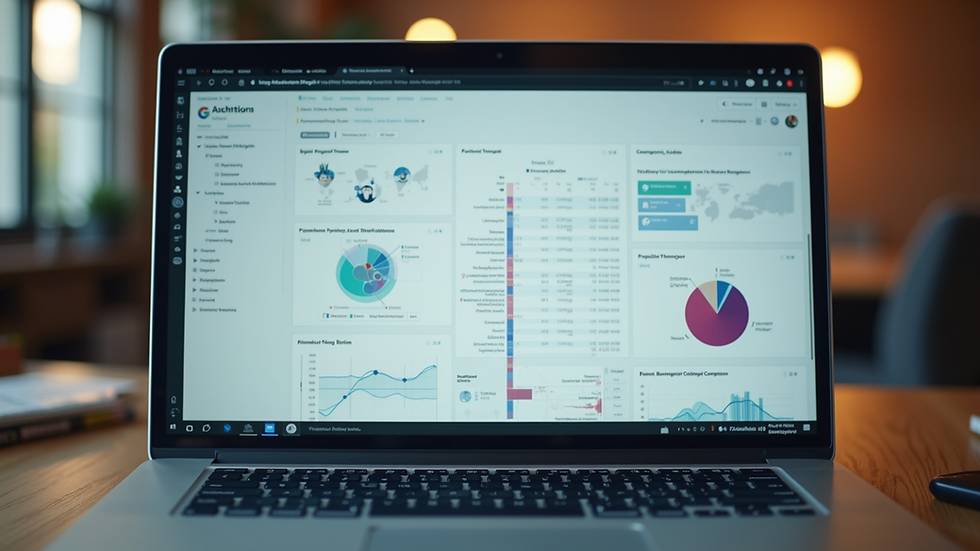
Top Freelance Management Tools to Consider
There are many options out there, but some stand out for their ease of use, features, and affordability. Here are a few categories and examples to help you decide what fits your needs best.
Project Management
Keeping your projects on track is crucial. Look for tools that let you create tasks, set deadlines, and track progress visually.
Kanban boards: Visualize your workflow with drag-and-drop cards.
Task lists: Break down projects into manageable steps.
Calendar views: See deadlines and milestones at a glance.
Time Tracking and Invoicing
Accurate time tracking ensures you get paid fairly. Invoicing tools help you send professional bills and follow up on payments.
Automatic timers: Start and stop timers as you work.
Expense tracking: Log costs related to projects.
Invoice templates: Customize and send invoices quickly.
Client Communication
Clear communication builds trust and reduces misunderstandings.
Messaging platforms: Keep all client conversations in one place.
File sharing: Share drafts, contracts, and final files easily.
Feedback tools: Collect client input and approvals efficiently.
Financial Management
Managing your money well is key to a sustainable freelance career.
Income and expense reports: Get a clear picture of your cash flow.
Tax preparation: Organize documents and calculate taxes owed.
Payment integrations: Accept payments through multiple channels.
Which Software Is Best for Freelancing?
Choosing the best software depends on your specific workflow and business size. Here are some tips to help you pick the right tools:
Identify your biggest pain points. Is it time tracking, invoicing, or project organization?
Look for all-in-one solutions if you want to minimize switching between apps.
Try free trials to get a feel for the interface and features.
Consider scalability. Will the tool grow with your business?
Check for integrations with apps you already use, like email or calendars.
For example, if you struggle with managing multiple clients and deadlines, a project management tool with calendar and task features might be your best bet. If invoicing and payments are your main concern, focus on software with strong financial tools.
Remember, the goal is to find software that simplifies your workflow, not complicates it.

How to Get the Most Out of Your Freelance Management Tools
Once you pick your software, here are some tips to maximize its benefits:
Set up templates: Create reusable templates for proposals, invoices, and emails.
Automate reminders: Use notifications to stay on top of deadlines and payments.
Keep client info updated: Maintain detailed records for quick reference.
Regularly review reports: Use insights to improve your workflow and finances.
Stay consistent: Make it a habit to update your tools daily or weekly.
By integrating these tools into your routine, you’ll reduce stress and increase productivity.
Embrace Technology to Grow Your Freelance Business
Managing a freelance business doesn’t have to be chaotic. With the right freelance business management software, you can streamline your operations and focus on delivering your best work. These tools are designed to support you every step of the way, from landing clients to getting paid on time.
If you want to explore some of the best options available, check out this freelance business management software that can help you organize your projects, finances, and client relationships all in one place.
Take control of your freelance career today by choosing the tools that fit your style and needs. Your future self will thank you for the time and energy saved.
Happy freelancing!


Comments